

Web AR Examples & Why Now Is the Best Time to Deploy Web-Based AR Experiences


TL;DR: The Shift to Open WebAR
The WebAR landscape is moving toward open, standards-based solutions following 8th Wall’s closure. Brands now have the opportunity to build AR experiences they fully own and control using open WebXR SDKs and Snap’s WebAR SDK.
Key Benefits:
- Customers access AR through simple links or QR codes—no app downloads required
- Full ownership of experiences with no platform lock-in
- Improved long-term ROI and stability
Real-World Applications:
- Virtual try-ons for beauty, fashion, and eyewear
- 3D product previews on product pages
- AR “try in your space” for furniture and home goods
- AR-powered product launches and tutorials
Why Now: Technology is mature, customers expect it, infrastructure is accessible, and the business case is clear. Early adoption offers competitive advantage while WebAR is proven but not yet ubiquitous.
The Shift to Open WebAR: What It Means for Business
The WebAR landscape is transforming. With 8th Wall’s closure—a platform many businesses relied on—companies are rethinking how they approach AR infrastructure. The question isn’t whether to use WebAR, but how to build it sustainably.
What’s changing? Open, standards-based WebXR SDKs and Snap’s WebAR SDK are reshaping what’s possible. These tools make browser-based AR more accessible and scalable while giving you full ownership of your experiences. Instead of depending on a single vendor, you can now build AR that lives on your own infrastructure, integrated directly into your website and e-commerce platform.
The practical benefit: Your customers can access virtual try-ons, product demos, and immersive content through a simple link or QR code. No app downloads. No hosting dependencies. No platform lock-in.
This shift matters because it changes the economics and longevity of AR investments. Open WebAR technology improves your long-term ROI, increases stability, and establishes AR as a dependable element of your digital customer experience—one you control completely.
Real-world Web AR Examples
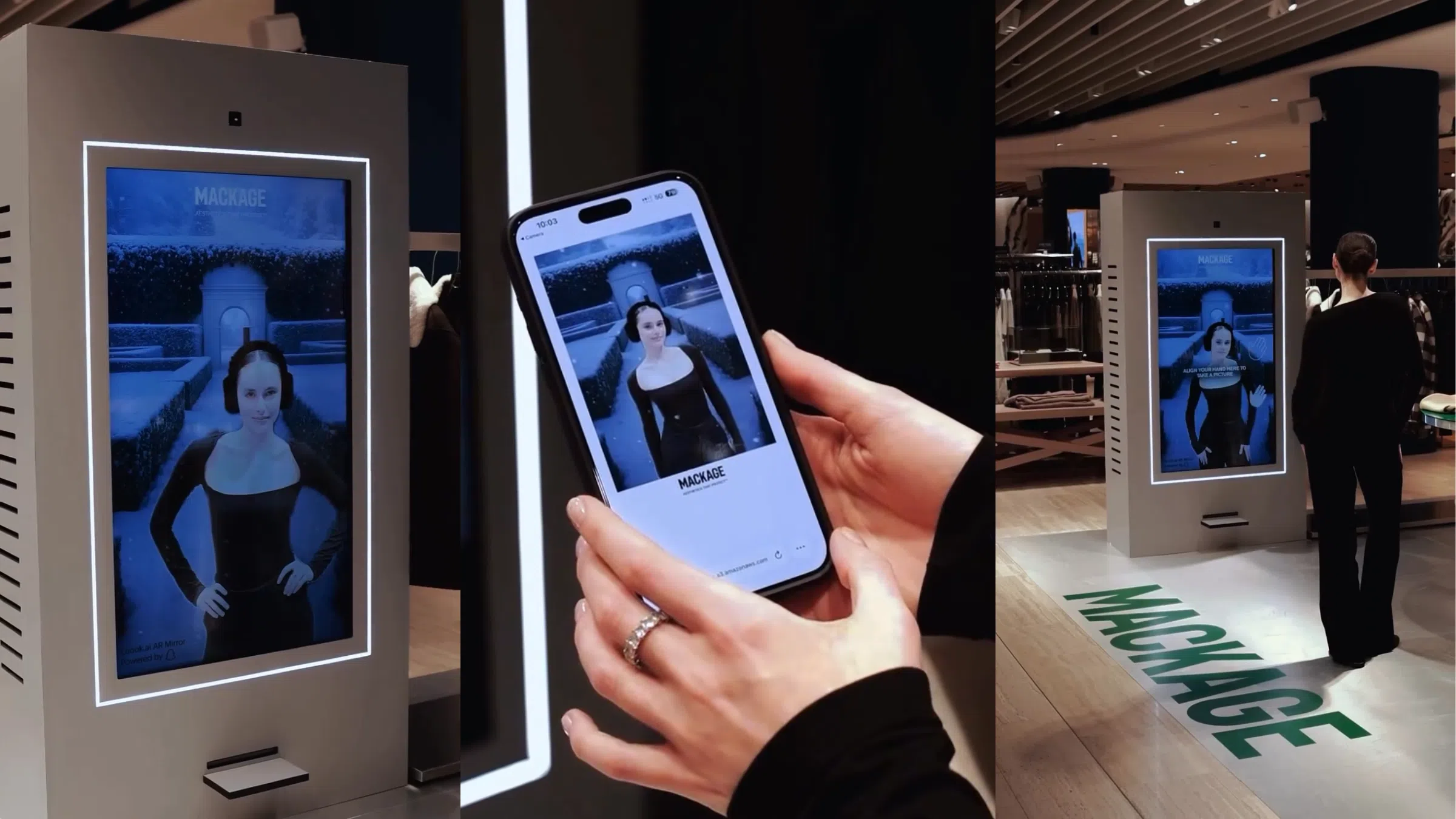
WebAR is now central to digital strategy, with brands launching web-native AR experiences that deliver measurable results. At FFFACE.ME, we’ve seen browser-based AR transform product discovery, boost engagement, and support global campaigns. The following examples show how leading companies use this technology to create high-impact, scalable customer experiences directly in the browser.
Makeup by Mario WebAR Try-On: High-Fidelity Beauty Testing Directly on the Website
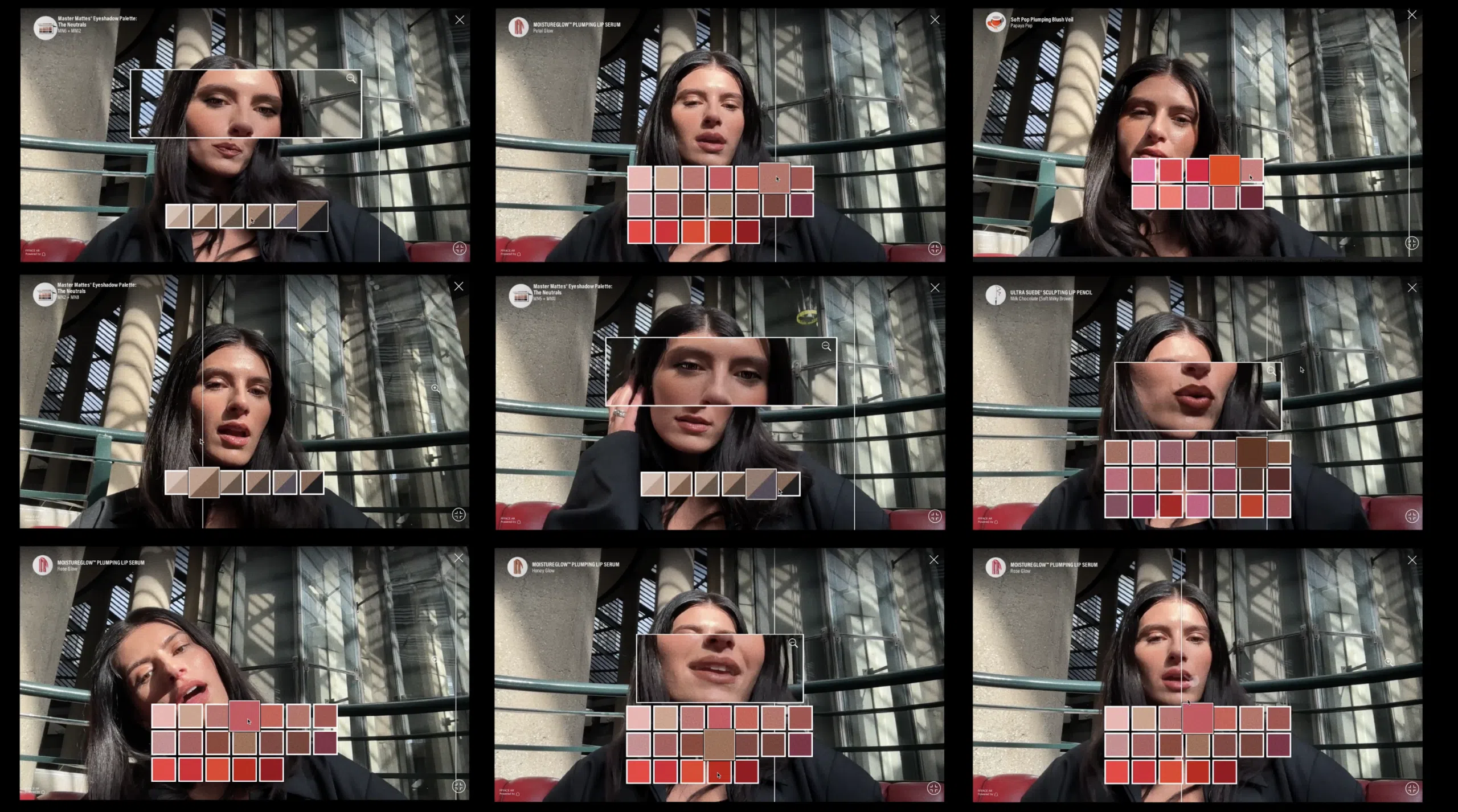
FFFACE.ME’s WebAR try-on solution brings real-time AR beauty testing directly into the Makeup by Mario website. Built for seamless integration with Shopify and major e-commerce platforms, it allows shoppers to explore products virtually—instantly, without downloading an app.
Powered by Snap’s AR SDK, the experience adapts accurately to different face shapes, skin tones, and lighting conditions, ensuring true-to-life shade representation. The system performs smoothly across devices and integrates naturally into existing site layouts, preserving brand design while adding interactive capabilities.
This case shows how WebAR transforms websites from static catalogs into interactive product discovery environments. By offering real-time visualization and personalized testing, brands can create online shopping experiences that increase engagement, reduce purchase uncertainty, and drive higher conversions.
Explore the live experience at makeupbymario.com
Kint Cosmetics WebAR Try-On with AI Recommendation
A customer lands on Kint Cosmetics and immediately begins testing concealer shades—all 20 of them—without installing an app or leaving the browser. An AI recommendation system analyzes their skin tone and suggests the best match, streamlining the selection process. The WebAR solution adapts to individual face shapes, skin tones, and lighting in real time, rendering each shade with precision so customers see exactly how the product will look on them.
The interaction is immediate and intuitive. Customers switch between shades, compare options side by side, and make informed decisions based on what they see on their own face. The AR engine responds to movement and adjusts rendering in real time, creating a try-on experience that mirrors the confidence of in-store testing—but accessible from anywhere, on any device.
For brands, this addresses the critical gap between browsing and buying. Combining AI analysis with real-time AR visualization enables more informed decisions, resulting in higher engagement, stronger purchase confidence, and measurable conversion improvements—all integrated seamlessly into existing site infrastructure.
Explore the live experience at kintcosmetics.com
Best Web Augmented Reality Use Case Examples
The following use cases show how WebAR addresses specific customer needs across industries while integrating seamlessly into existing digital infrastructure, helping brands reduce returns, increase conversions, and create more engaging customer touchpoints.
Virtual try-ons for beauty, fashion, eyewear, and accessories
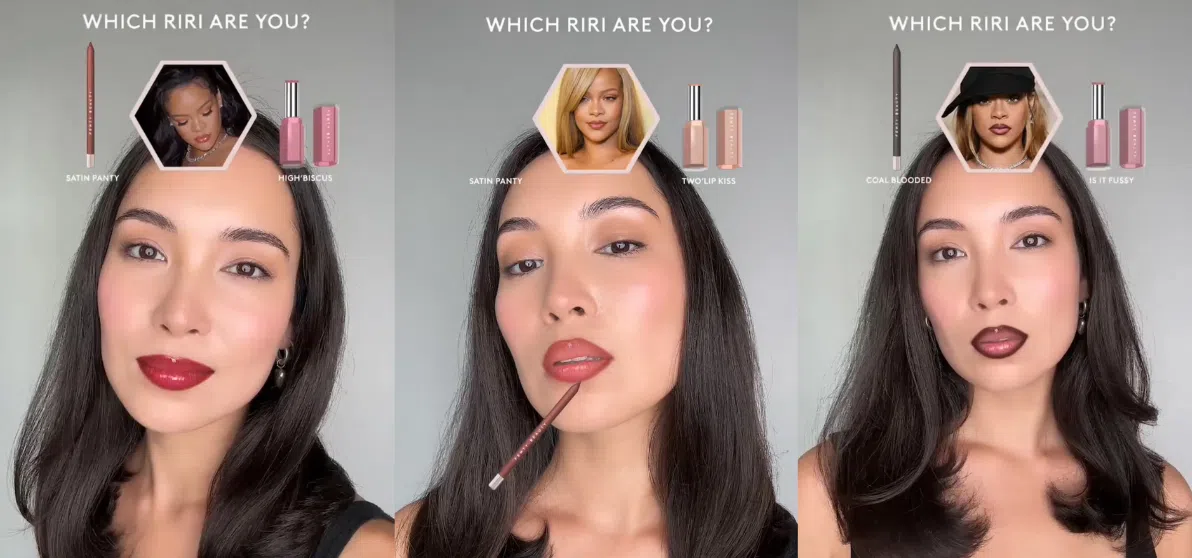
WebAR virtual try-ons transform how customers interact with products online. Instead of relying on static images, shoppers can see how lipstick shades, eyeglass frames, earrings, or watches look on them in real time—all through their browser.
Consider the decision-making process: Someone shopping for eyewear can rotate frames to see how they fit from different angles.
When integrated directly into product pages, these try-on experiences remove the uncertainty that often delays purchase decisions. Customers spend more time engaging with products, gain confidence in their choices, and experience a level of personalization that closely mirrors the benefits of shopping in person—delivered at scale, across any device.



3D product previews on PDPs
Interactive 3D models replace flat product photos, inviting shoppers to engage directly with what they’re considering. Customers rotate items to view them from any angle, zoom in to examine texture and craftsmanship, and explore design details that standard photography can’t reveal.
This hands-on exploration answers the questions customers would ask in-store: How does the stitching look up close? What’s the weight and finish of the material? How do the components fit together? By providing these answers visually and interactively, 3D previews build purchase confidence and reduce the uncertainty that leads to abandoned carts or returns.
The impact is measurable across product categories. Whether it’s footwear, electronics, home goods, or accessories, giving customers the ability to inspect products thoroughly translates directly into higher conversion rates and fewer post-purchase disappointments.
Integration is straightforward with modern WebAR platforms, allowing brands to embed 3D models directly into existing product pages. The result is an elevated shopping experience that meets the expectations of today’s digital-first customers while fitting naturally into your current site infrastructure.
AR “try in your space” for home, furniture, and tech
Picture this: You’re considering a new sofa, but you’re unsure if it will fit your living room or match your existing decor. With WebAR placement, you can pull out your smartphone, point the camera at your space, and instantly see that sofa positioned exactly where it would go—at full scale, in real time.
Walk around it. Check if there’s enough clearance for the door to open. See how the color complements your rug. Confirm the proportions feel right before clicking “add to cart.” This same capability extends to coffee tables, wall art, electronics, appliances, and any product where spatial context matters.
The result? Fewer surprises when the delivery arrives. Less hesitation during checkout. And significantly fewer returns driven by size or style mismatches. Retailers integrating WebAR placement directly into product pages are giving customers the spatial confidence they need to make informed decisions—without ever leaving the browser.
AR-enhanced tutorials and onboarding flows
WebAR transforms complex product features into interactive 3D visualizations that customers can explore at their own pace. Instead of watching a static video or studying a diagram, they can engage directly with the product—rotating components, triggering animations, and discovering details that matter to their purchase decision.
For tech products, customers can examine internal mechanisms, trace signal pathways, or watch sensors activate in real time. Beauty brands can show active ingredients moving through skin layers, illustrating efficacy in a way that builds understanding and trust. Mechanical products become easier to comprehend when customers can virtually disassemble them, explore hidden features, or follow step-by-step assembly sequences through spatial guidance.
These interactive demos prove particularly valuable for high-consideration purchases where understanding product benefits directly influences buying confidence. By allowing customers to explore functionality hands-on, WebAR demos answer questions before they’re asked, reduce purchase hesitation, and establish your brand as transparent and forward-thinking.
AR-powered product launches
WebAR transforms product launches into immediate, immersive experiences accessible through a link or QR code. Customers engage with your new product through interactive 3D exploration, spatial animations, or guided sequences that highlight key features.
Your announcement email links directly to an AR experience where customers can rotate your product, trigger animations, or explore design elements in their own space. Share across social channels to turn your launch into a participatory moment.
This approach builds anticipation while providing real-time engagement data. Track which features customers explore most and refine messaging based on behavior—creating an exclusive, interactive launch experience that generates actionable insights.
How to Develop WebAR Experience?
WebAR lets brands deliver interactive, high-impact experiences directly in the browser without apps or downloads. This simplified guide highlights the essential steps to plan, build, and launch a professional WebAR experience that supports real business goals.
- Define the Strategy: Identify the purpose of WebAR (conversion, engagement, education). Choose the core use case and set clear KPIs.
- Select the Technical Stack: Decide between open WebXR frameworks or an SDK like Snap WebAR. Confirm browser compatibility, hosting needs, and any required integrations.
- Design the User Experience: Map how users enter AR and return to the website. Create simple onboarding, permission flows, and intuitive UI controls.
- Prepare Assets: Develop optimized 3D models, textures, or face meshes. Ensure all visuals match the brand and load quickly.
- Build the WebAR Experience: Implement tracking, interactions, and UI using your chosen framework. Handle loading, permissions, and fallbacks for unsupported devices.
- Integrate Into the Website: Embed the AR module, connect product data if needed, and add analytics events to track usage and conversions.
- Test Across Devices: QA on major phones and browsers. Optimize performance, fix tracking issues, and ensure clear messaging for unsupported devices.
- Set Up Measurement: Use analytics to track engagement, conversions, and compare AR vs. non-AR behavior. Run A/B tests if relevant.
- Launch and Improve: Start with a soft launch, then scale. Update content regularly and maintain compatibility with browser and SDK updates.
Why Now Is the Right Moment to Launch Your Web-Based AR Experience
The WebAR ecosystem has matured to a point where several critical factors converge:
- Technology is ready. Browsers now natively support advanced AR through WebXR, while new SDKs like Snap’s deliver high-quality, real-time effects directly on websites. The technical barriers that once limited adoption have been resolved.
- Customers expect it. Shoppers increasingly seek interactive, confidence-boosting product experiences—particularly in beauty, fashion, and lifestyle categories. The demand for hands-on digital exploration is no longer emerging; it’s established.
- Infrastructure is more accessible. With 8th Wall’s closure prompting the market toward open, standards-based solutions, brands now have the opportunity to build AR experiences they fully own and control. You’re no longer dependent on a single vendor’s platform or pricing structure.
- The business case is clear. Today’s WebAR integrates more easily into existing websites, costs less to maintain over time, and delivers measurable improvements in engagement and conversion. The return on investment is both faster and more sustainable.
These conditions create a strategic window: adopting browser-based AR now positions your brand ahead of competitors while the technology is mature enough to deliver results but not yet ubiquitous. It’s an opportunity to differentiate your customer experience during a period when early adoption still carries competitive advantage.